


Inside YAW Audio Tools
ESIA in the studio.
Our tools begin with real creative needs. ESIA expands a loved hardware response into a personal instrument for musicians, composers and producers, refined in the studio before being shared with others.
- AU + VST3 for macOS
- Apple Silicon + Intel
- Perpetual license
What is ESIA?
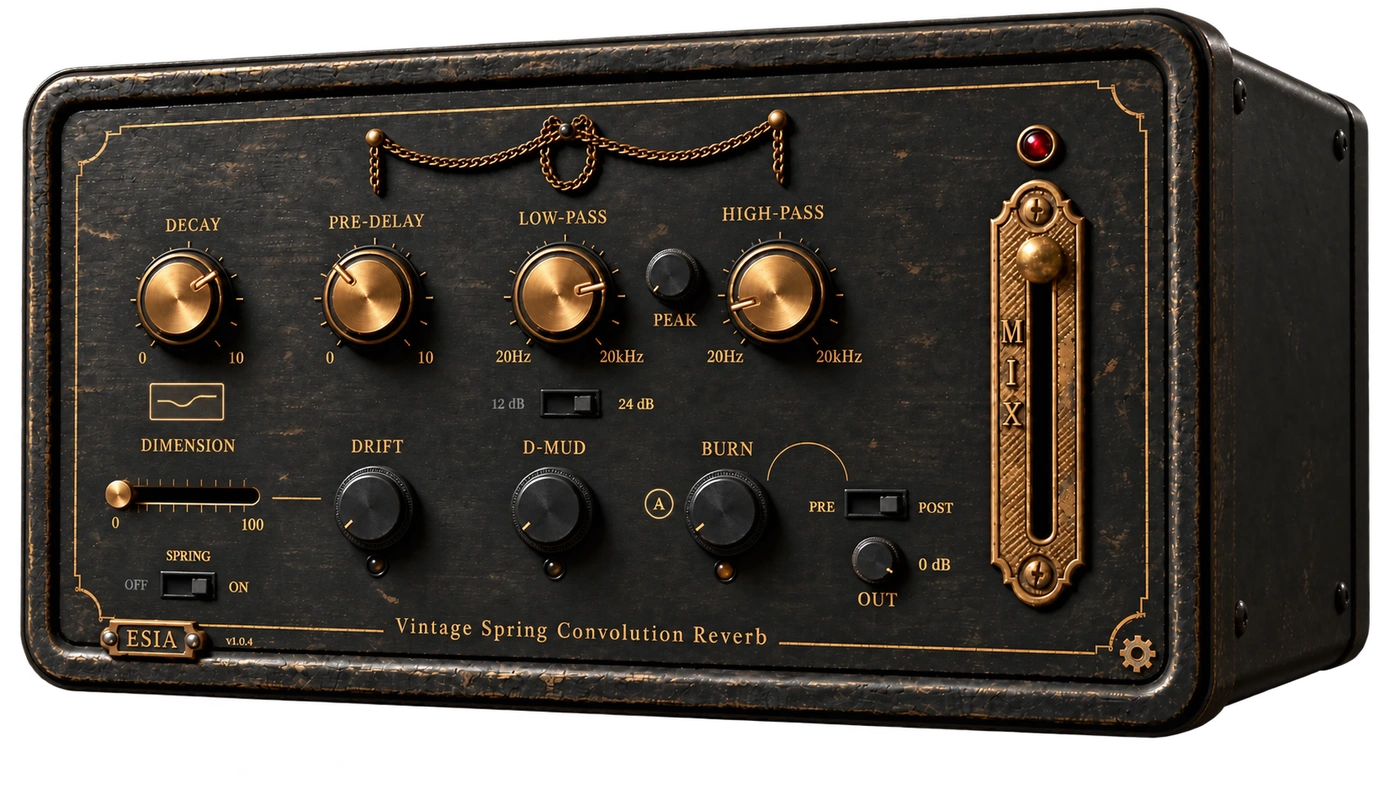
ESIA is a vintage spring convolution reverb for musicians, composers and producers. Its sound begins with the captured response of a real hardware unit, then adds tools for tone, stereo width, movement and saturation. It is an audio plugin for your studio, not a physical device.
Which formats and computers does ESIA support?
ESIA is available for macOS in Audio Unit (AU) and VST3 formats, with support for Apple Silicon and Intel Macs. Choose the format supported by your DAW and download the macOS PKG installer. The currently available release is version 1.0.4.
Can I try ESIA before buying?
Yes. Start a free trial from the product page, download and install ESIA, then create or sign in to a YAW account to activate it. The interactive browser demo lets you explore Mix, Dimension, Drift, D-Mud and Spring on/off; it is a limited preview of the installed plugin.
What does Drift do, and when is it active?
Drift adds analog-style detuning to Dimension's separate left and right voices. It is active only when Dimension is above zero. Dimension controls stereo width, while Drift introduces movement within that widened sound. Keeping Dimension at zero leaves those detuned voices out of the signal.
Can I use the other processing without the spring?
Yes. Turn Spring off to keep the tone, saturation and movement processing available without the reverb tail. D-Mud reduces low-mid buildup, Burn provides valve-inspired saturation with Pre/Post routing, and the low-pass filter offers a choice of 12 or 24 dB per octave.
How do purchasing, activation and support work?
ESIA is offered as a perpetual license with a one-time purchase. Moonbase provides checkout, accounts and licensing. After installing, open ESIA in your DAW and complete browser-based activation with your YAW account. Contact support@yawaudiotools.com for help, including your operating system and DAW in technical requests.
Explore ESIAInstallation guideOur storyContact supportYour licenses
Before purchasing, read our Terms of Use, License Agreement, Privacy Policy and Refund Policy.
Format reference: Apple Audio Units and Steinberg VST3.